Connecting to Dragonfly Social
Dragonfly Social is an online community platform that lets Dragonfly users start discussions, chat, access material, post announcements, as well as upload and download extensions and deep models for the application. In addition, an integrated chatbot that lets users can ask basic questions about working with Dragonfly and learn more about best practices will soon be added to the platform.
You can connect to Dragonfly Social anytime after you successfully register an account (see Registering Accounts). You should note that you need to be connected to the Internet to access Dragonfly Social.
-
Do any of the following to connect to Dragonfly Social:
-
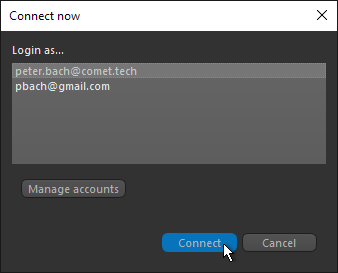
Click Connect in the Connect Now dialog, as shown below.
-
Choose Help > Connect to Dragonfly Social As > Login As on the Dragonfly menu bar.
-
Go to https://dragonflysocial.comet.tech/ from any browser on a system connected to the Internet.
-
-
Sign in to your account.
 Registering Accounts
You will need to register an account before you can access Dragonfly Social. You can register an account in the Introducing Dragonfly dialog, which appears when you launch Dragonfly, or you can open the Manage Dragonfly Social Accounts dialog to register a new account.
-
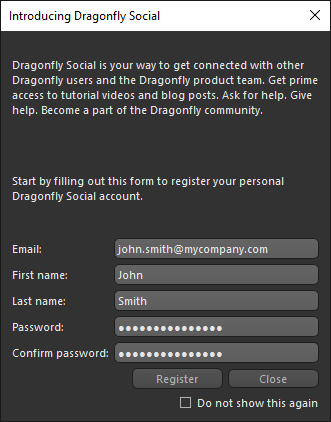
Enter your information in the Introducing Dragonfly Social dialog, which appears when you launch Dragonfly.
-
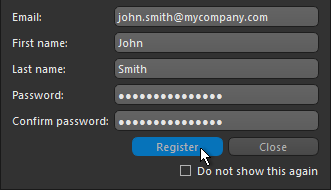
Click the Register button, as shown below.
The End User License Agreement dialog appears.
-
Review the terms and conditions and click Agree if you accept the terms and conditions.
The Dragonfly Social Account Created Successfully dialog appears.
-
Click OK in the dialog.
-
Verify your email.
If verification is successful, you will be able to login with the registered account.
-
Choose Help > Manage Dragonfly Social Accounts on the menu bar.
The Manage Dragonfly Social Accounts dialog appears.
-
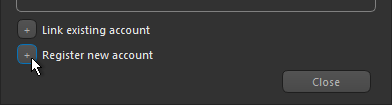
Click the Register New Account button in the Manage Dragonfly Social Accounts dialog, as shown below.
-
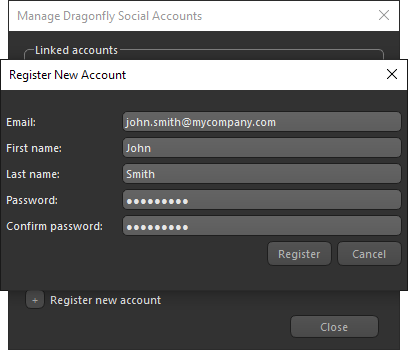
Enter your information in the Register New Account dialog, as shown below.
-
Click the Register button.
The End User License Agreement dialog appears.
-
Review the terms and conditions and click Agree if you accept the terms and conditions.
The Dragonfly Social Account Created Successfully dialog appears.
-
Click OK in the dialog.
-
Verify your email.
If verification is successful, you will be able to login with the registered account.
Linking and Unlinking Accounts
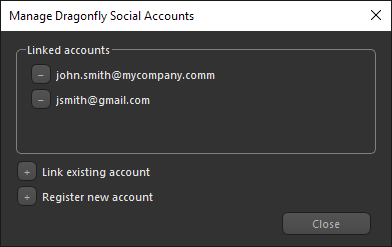
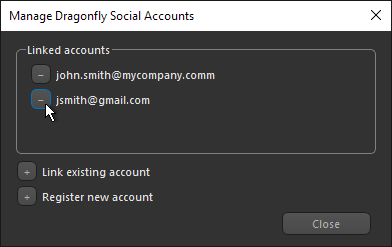
The additional options in the Manage Dragonfly Social Accounts dialog, shown below, let you link to existing accounts, as well as unlink accounts.
Manage Accounts dialog
-
Choose Help > Manage Accounts on the menu bar.
-
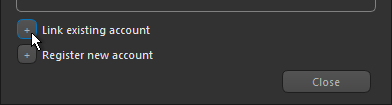
Click the Link Existing Account button in the Manage Dragonfly Social Accounts dialog, as shown below.
-
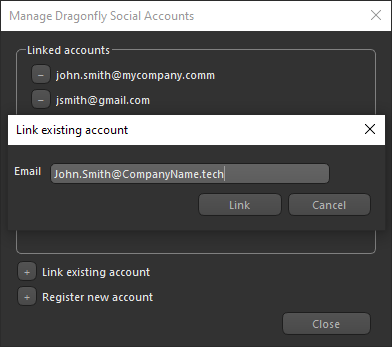
Enter your information in the Link Existing Account dialog, as shown below.
-
Click the Link button.
-
Choose Help > Manage Dragonfly Social Accounts on the menu bar.
-
Click the Remove Linked Account button in the Linked account box, as shown below.
-
Click the Unlink button in the Unlink Dragonfly Social Account dialog.
Note Unlinked accounts are not deleted, they will continue to exist for linking on other Dragonfly workstations or for relinking at a later time.
